Upload existing customers as a CSV and use them in a campaign straight away. Rapio cleans the list, keeps out anyone who said no, and shows where every person stands.
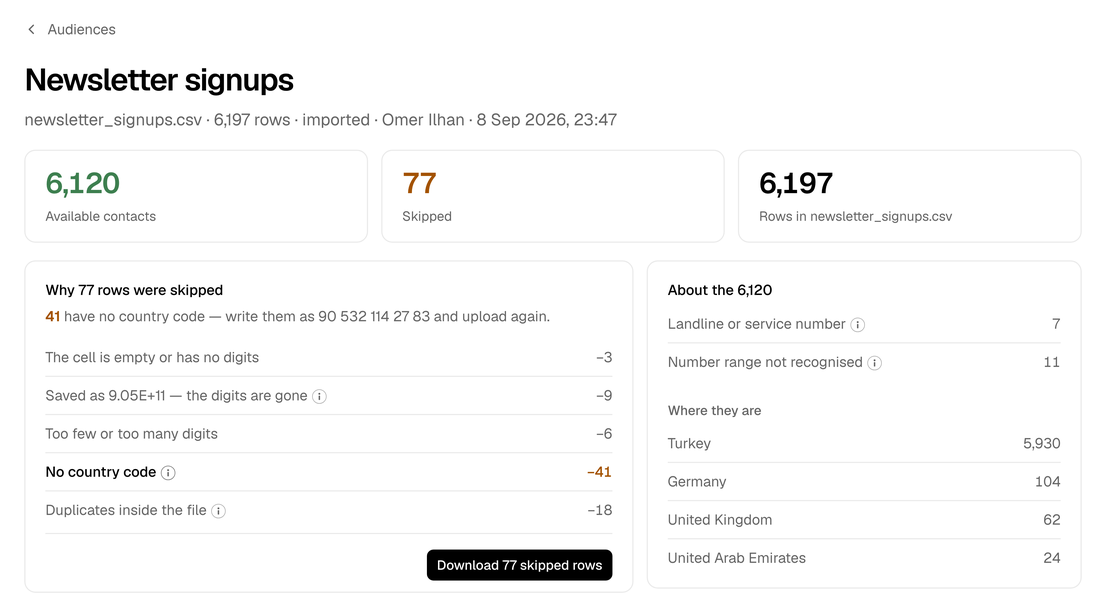
Customers come in as a CSV and are ready for a campaign the same minute. How many people can be messaged is visible at a glance, along with who was left out and why — in a file that can be fixed and re-uploaded in one go. No cleanup sessions, no guessing, no paying for messages that were never going to arrive. Every list should hold people who agreed to hear from your business; Rapio then keeps anyone who opts out away from every campaign.
Learn more
Drop in the file, confirm the columns, and the list is waiting in Campaign Manager under its own name. As many lists as needed — there is no cap on people or lists.
Wrong and missing numbers are caught before a campaign, not after it. The real audience size is known before the send is committed, and no message is paid for that had nowhere to go.
Every upload is kept with its results, so last quarter's campaigns still explain who they went to. A list can be retired once it has served its purpose — it never disappears from the history.
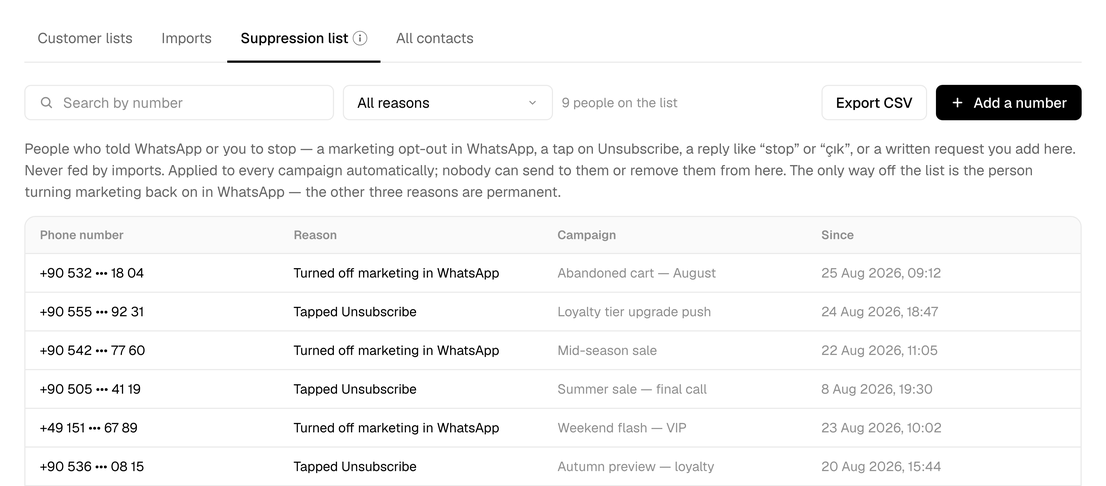
When someone tells WhatsApp or the business to stop, Rapio remembers — and every campaign from then on leaves them out on its own. No list to check, no file to clean, no risk that a re-upload brought someone back. Customers get the respect they asked for, and the number keeps its good standing with Meta.
Learn more
Switching off marketing in WhatsApp, tapping Unsubscribe, replying "stop" in any wording, or a written request added by hand — each counts the same, and it sticks.
Messaging people who opted out is the fastest way to get a template paused or a number restricted. Rapio leaves out every opt-out it knows about, automatically, on every campaign.
When an auditor, a client or legal asks for the opt-out list, it exports as CSV — complete and up to date, at any time.
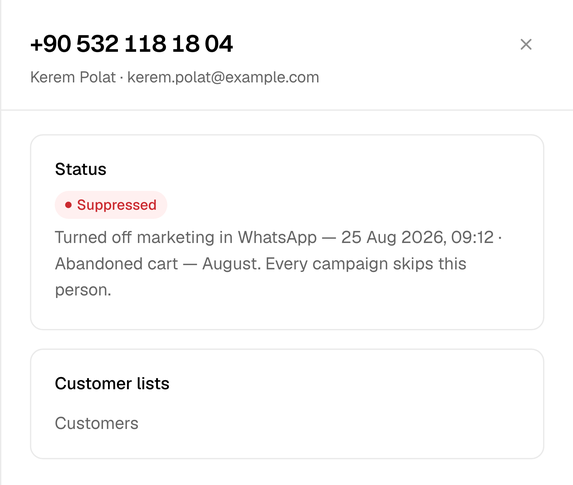
A customer says the message never arrived. A number, a name or an email brings the answer in seconds: which lists the person is in, whether they opted out and when, or whether the number is not on WhatsApp at all. No digging through files, no asking around the team.
Learn more
However many files someone appears in, they show up once — with the latest details and every list they belong to.
Active, opted out or not on WhatsApp — and why, with the campaign it came from — so the customer gets a real answer.
Retiring a list keeps the people in it, along with their opt-out record. Nobody is ever quietly added back.
Upload a customer list, see who made it in, and send.