Ready to send WhatsApp marketing messages?Take the 2-minute survey →
Features — Campaigns

Plan, send and measure
every campaign.

Marketers already run campaigns everywhere else. On WhatsApp, the official route for sending at scale is the WhatsApp Cloud API, Meta's own part of the WhatsApp Business Platform — Rapio turns it into a campaign channel your team can run, without anyone writing a line of code.

Campaign Manager

Create and manage campaigns for your audience.

Campaign Manager runs the whole cycle: build a campaign in four steps — sender, audience, message, review — start the send, then let campaign analytics show you what it did. Delivered and read with their rates, and the Meta cost next to them — every metric at a glance.
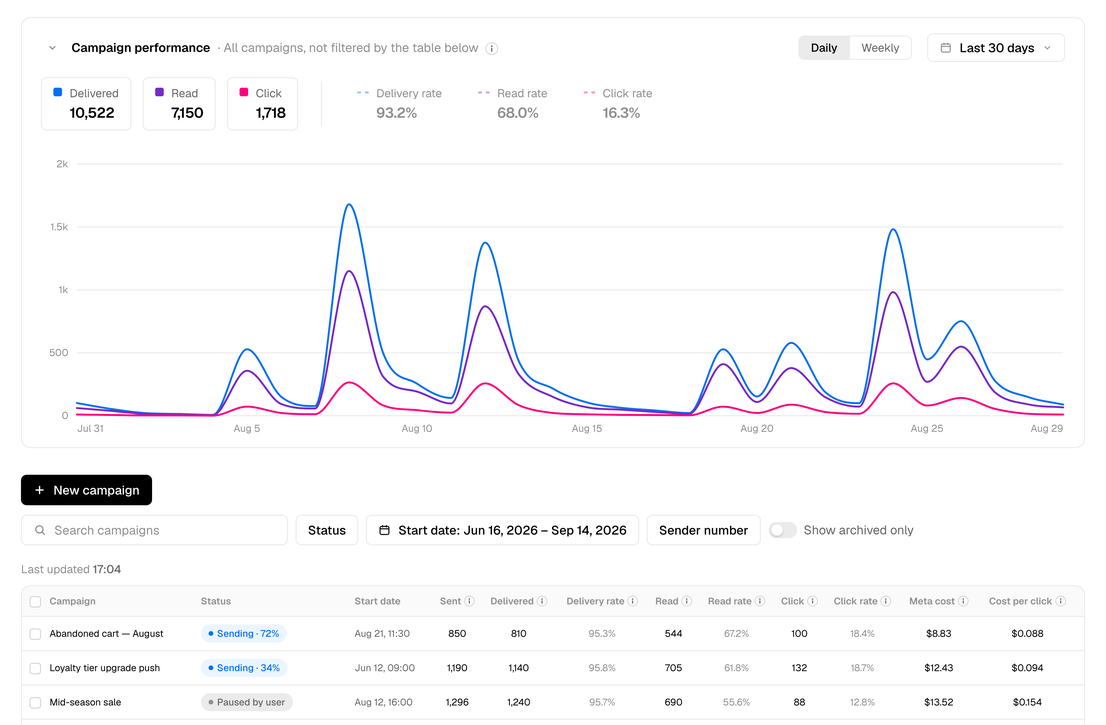
Rapio's Campaign Manager: the performance chart over the period, and every campaign in one table with status, delivery and read rates, and the Meta cost
Campaign creation

Four steps on one page — name and sender, who gets it, what they get, review. Everyone gets their own name in the message, and you see exactly how it looks on their phone before it goes out.

Report and analytics

Delivered and read with their rates, live. Every campaign side by side with the Meta cost, and a status you never have to guess.

Campaign details

One page per campaign: its lifetime report and its only point of control. Pause, resume, cancel or archive from the same page you read the numbers on.
Campaign Planner

All your WhatsApp communication
on one timeline.

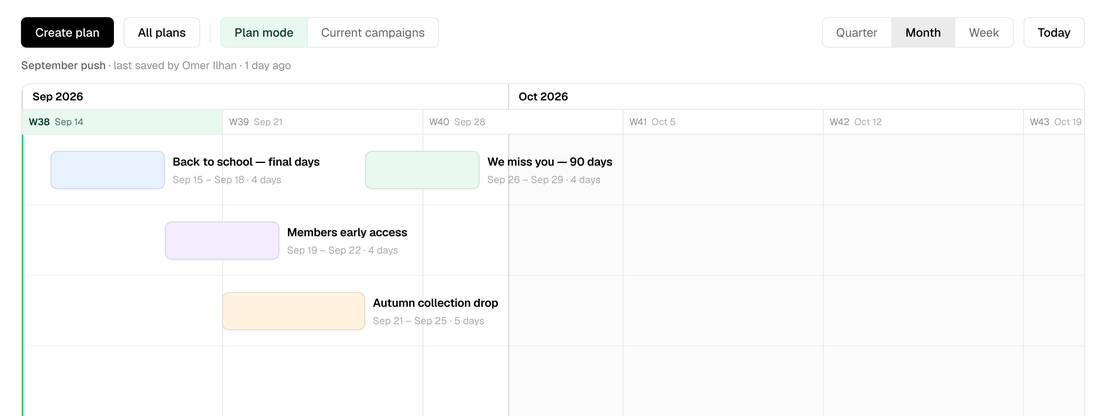
Campaign Planner lays every campaign onto a Gantt-style timeline. Drag next period's plan into shape, save it where the whole team can see it, zoom from a week out to a quarter, and start any campaign's setup in Campaign Manager the moment it is ready to send.

Campaign Planner: next period's campaigns laid out on a timeline, week by week, with their names and dates
Plan mode

Place next period's campaigns on the timeline, then drag them into shape or type the dates. Saved plans are open to the whole team, and the person who made a plan is the one who edits it. Any campaign on your plan opens its setup in Campaign Manager, name already filled in.

Current campaigns

Your past and active campaigns on the same axis instead of a list — the view your plan lives in, filled with what actually happened.

Any zoom

Weekly, monthly and quarterly views in both modes — from next week's sends to the whole year ahead, on the same timeline.

Your next campaign,
in minutes.

Pick a customer list, send your message, and know exactly what it did — a launch, a sale, or an offer to bring customers back.